Scheduled Operations
Scheduled operations keep what you run current: upgrades roll workloads and agents to newer versions on a schedule you control or on demand. Alerts and diagnostics tell you when something needs you — see Alerts & Diagnostics.
How to upgrade
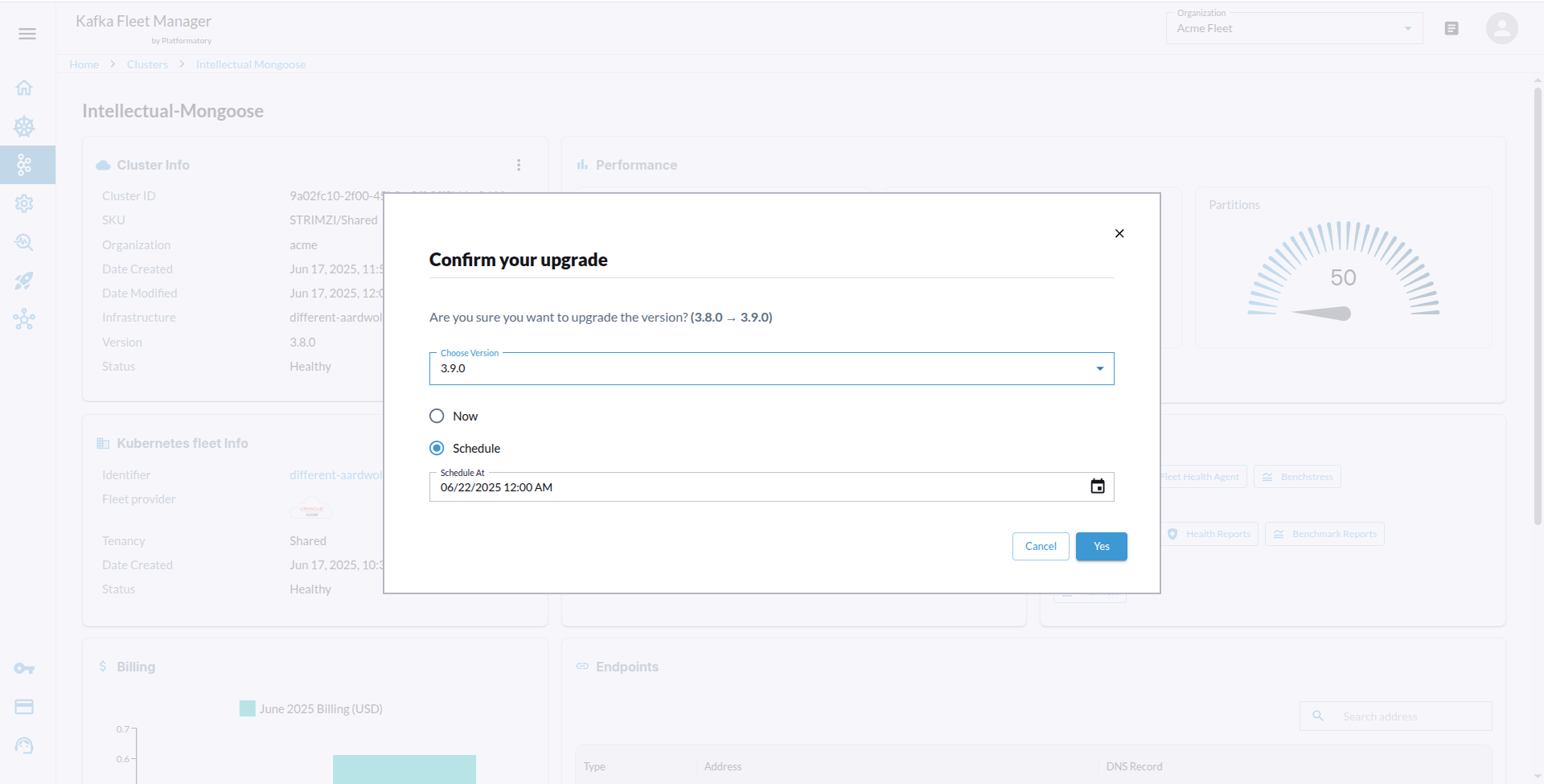
- Cluster Selection:
- Navigate to the Kafka clusters section in the Streamtime UI.
- Select the cluster you wish to upgrade button.
- Upgrade Options:
- Choose the desired Kafka version from the available options.
- shedule or now the upgrade.
- Review Changes:
- Review the changes that will be applied during the upgrade.
- Ensure that you understand the implications of the upgrade, such as potential downtime or changes in configuration.
- Confirm Upgrade:
- Click the “Upgrade” button to initiate the upgrade process.
- Monitor Progress:
- Monitor the upgrade progress in the Streamtime UI.
- The system will provide updates on the status of the upgrade.