Fleet Management
Creating a Kubernetes fleet in Streamtime is the foundational step for deploying and managing Kafka clusters. A Kubernetes fleet is a managed group of Kubernetes clusters provisioned on your chosen cloud provider (AWS, GCP, OCI, Azure) or using BYOK (Bring Your Own Kubernetes). 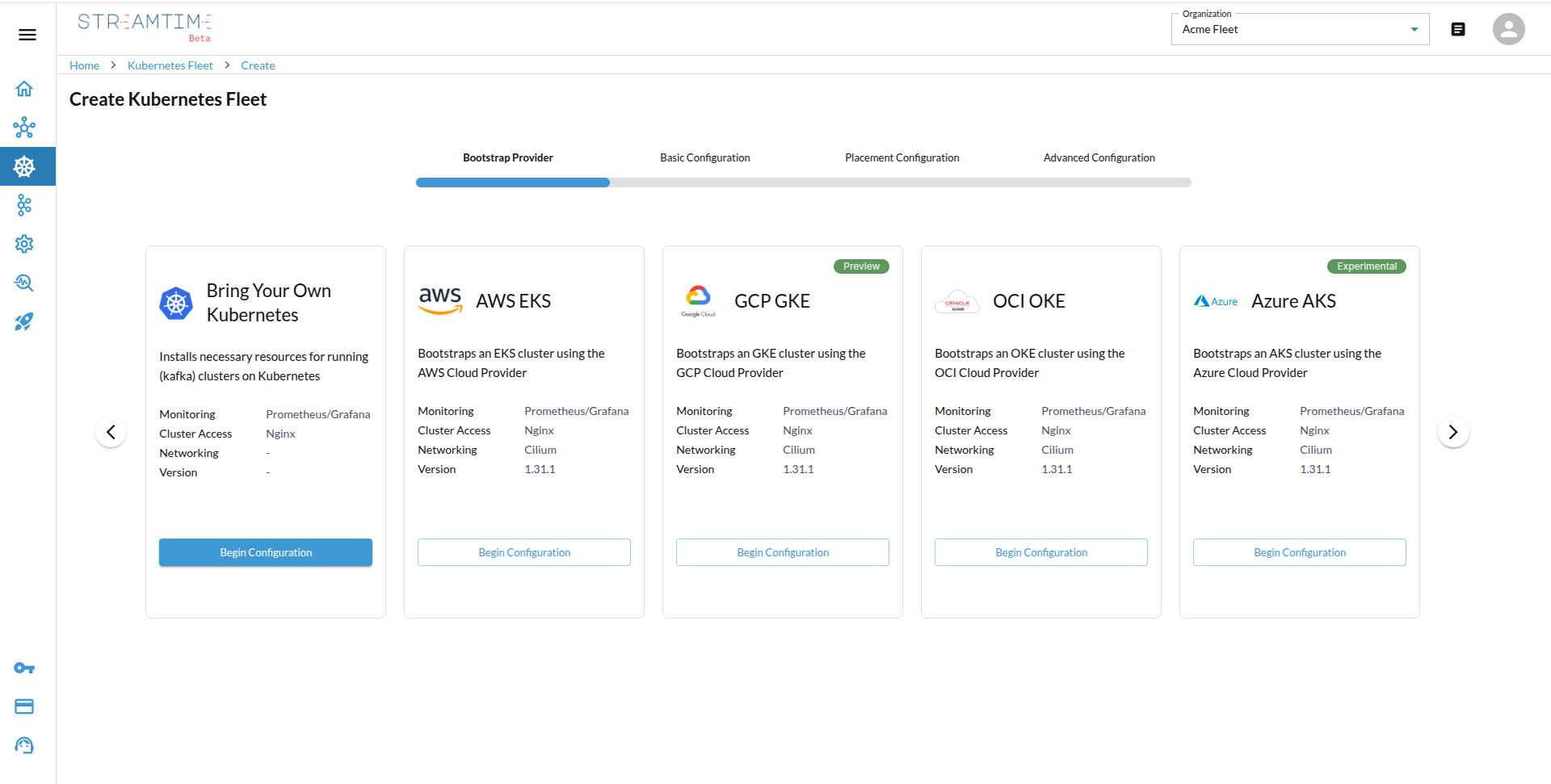
Overview
- Select Bootstrap Provider
- Start by clicking “Create Kubernetes Fleet” in the Streamtime UI.
- Choose your bootstrap provider: AWS, GCP, OCI, Azure, or BYOK.
- Configure Tenancy & Sizing
- Select the tenancy model:
shared,isolated, ordedicated. - Define your base domain, set the maximum tenancy (number of Kafka clusters per fleet), and specify the maximum Kafka units (throughput capacity).
- Choose the appropriate node size based on your workload (e.g., 1 Kafka unit = 20 MBps, recommended node: 4 vCPU / 16 GB RAM).
- Optionally, choose the fleet’s alert channels. See Alert Channels.
- Select the tenancy model:
- Placement Configuration
- Cloud Provider: Select the cloud provider for your Kubernetes clusters (e.g., AWS, GCP).
- Region: Choose the region where you want to deploy your Kubernetes fleet.
For BYOK fleets, you can optionally specify provider and region details for placement metadata to optimize for latency, compliance, or cost.
- Advanced Configuration
- AWS: Select an existing VPC ID or create a new VPC, choose the instance type for nodes.
- GCP: Specify the network and node machine type.
- OCI: Provide the VCN ID or create a new one, set the node shape, optionally specify a KMS Key ID, and set
cluster_public(default: false). - Azure: Enter the resource group, vnet name, subnet name, Kubernetes version, network plugin, agent VM size, and node count.
- BYOK: simply upload your Kubernetes
kubeconfigfile in this step.
- Deploy and Validate
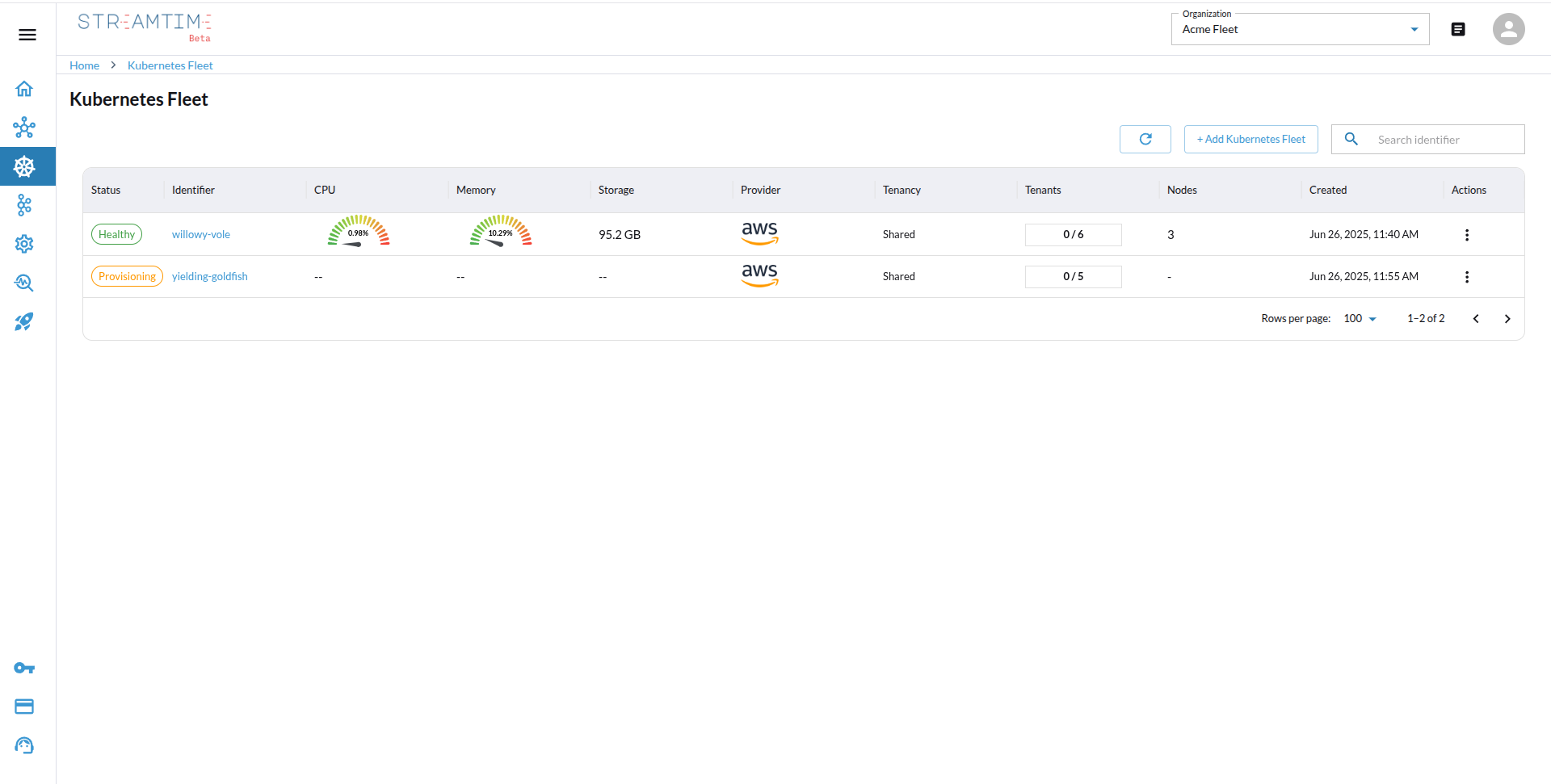
- Click deploy. Streamtime will provision and configure the Kubernetes fleet.
- Once deployed, the fleet status will show as “Healthy” and is ready for Kafka cluster deployments.
Alert Channels
Alert channels decide where Streamtime sends alerts. They are set on the fleet, and cover the fleet itself and every Kafka cluster and other workload it hosts. Kafka clusters and other workloads have no alert channels of their own.
- Create channels first. Add Slack, PagerDuty or webhook channels under Settings → Alert Channels.
- Choose them for the fleet. When you create the fleet, select one or more channels in the Alert Channels field. The field is optional.
- What gets sent. The fleet’s own alerts, and the default alerts of each workload on the fleet (for example, WarpStream’s Agent Down or Consumer Group Lag Too High).