Bootstrapping a Kubernetes Fleet with BYOK
What is BYOK?
BYOK (“Bring Your Own Kubernetes”) lets you run Streamtime workloads on a Kubernetes cluster you already operate, instead of Streamtime provisioning a cloud cluster for you. Streamtime installs and operates its software stack on your cluster; you keep control of the infrastructure.
When to use BYOK
- You already run Kubernetes (on-prem, bare metal, or any cloud) and want to reuse it.
- You want to avoid a new cloud account or project.
- You need workloads in an environment with network or compliance constraints.
- You want the fastest path to a first fleet for evaluation.
Key Features
- Reuse existing clusters and capacity
- Full Streamtime observability and lifecycle management
- Shared, isolated, or dedicated tenancy on your cluster
- The same Kafka and other workloads as cloud-provisioned fleets
Bootstrap a Kubernetes Fleet with BYOK
Pick whichever interface below suits you — they all do the same thing.
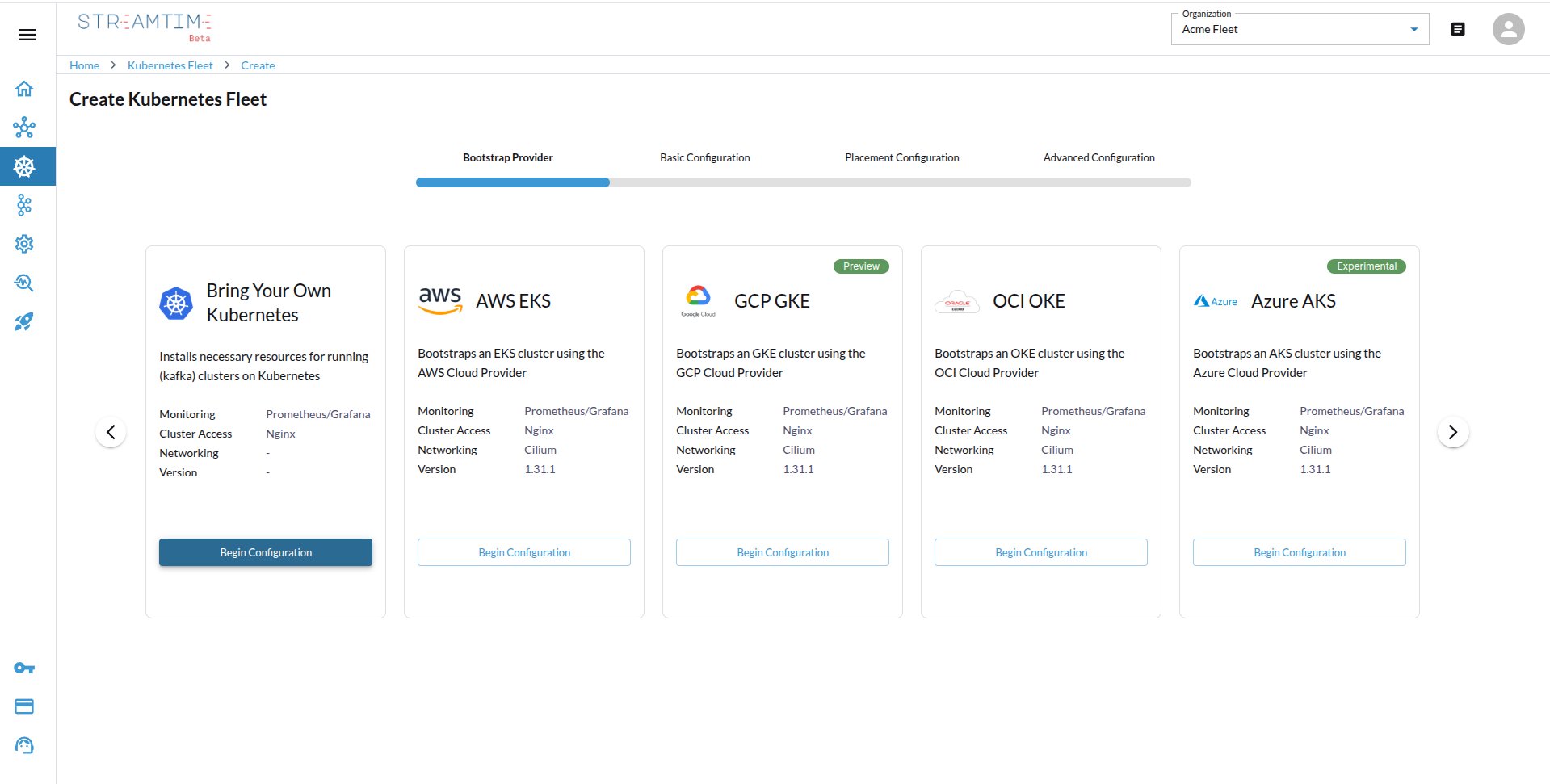
- Select BYOK as Bootstrap Provider
- In the Streamtime UI, click “Create Kubernetes Fleet”.
- Choose BYOK as your bootstrap provider.
- Configure Tenancy & Sizing
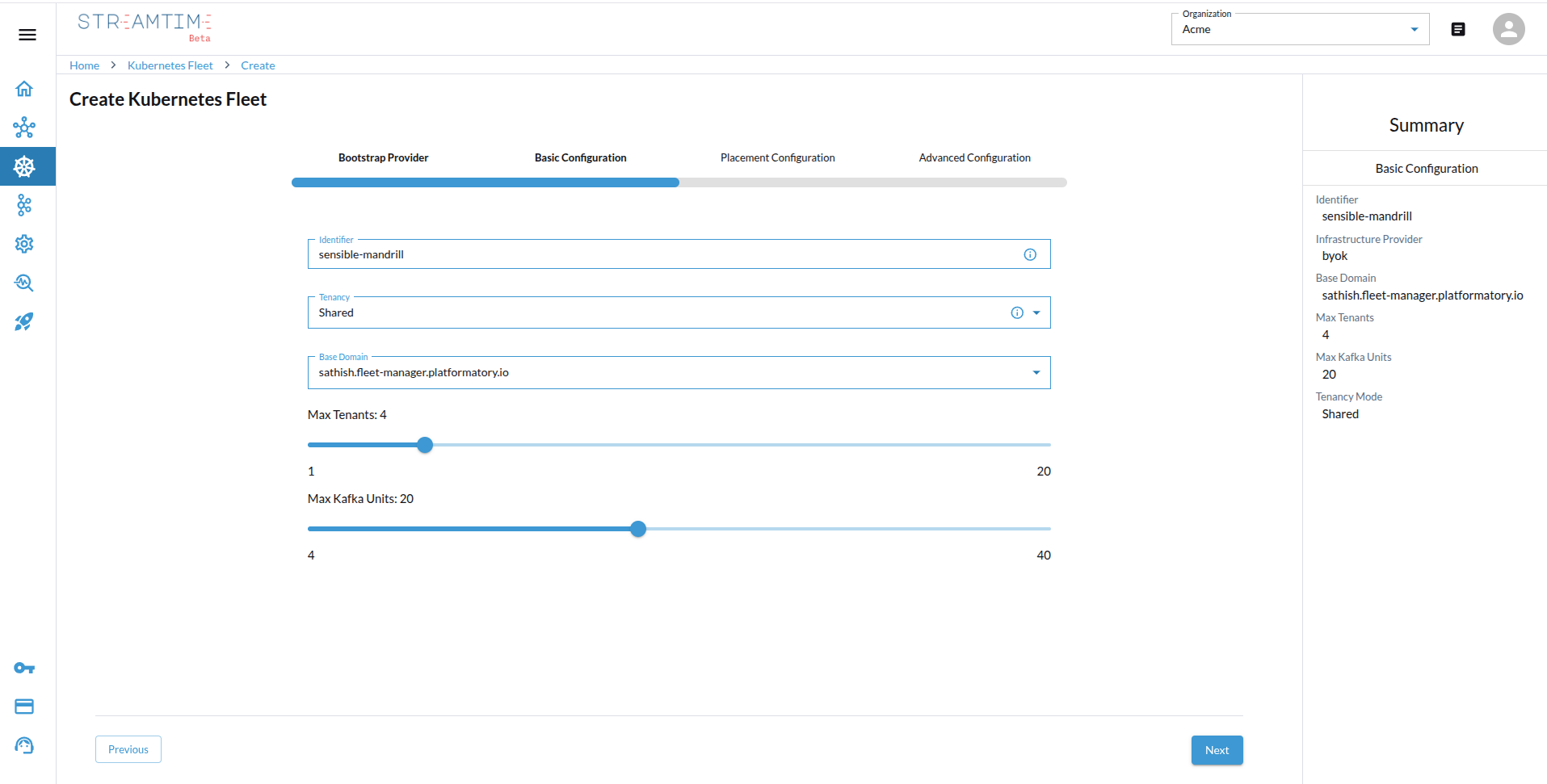
- Select the tenancy model:
shared,isolated, ordedicated. - Define your base domain, set the maximum tenancy (number of Kafka clusters per fleet), and specify the maximum Kafka units (throughput capacity).
- Choose the appropriate node size based on your workload (e.g., 1 Kafka unit = 20 MBps, recommended node: 4 vCPU / 16 GB RAM).
- Select the tenancy model:
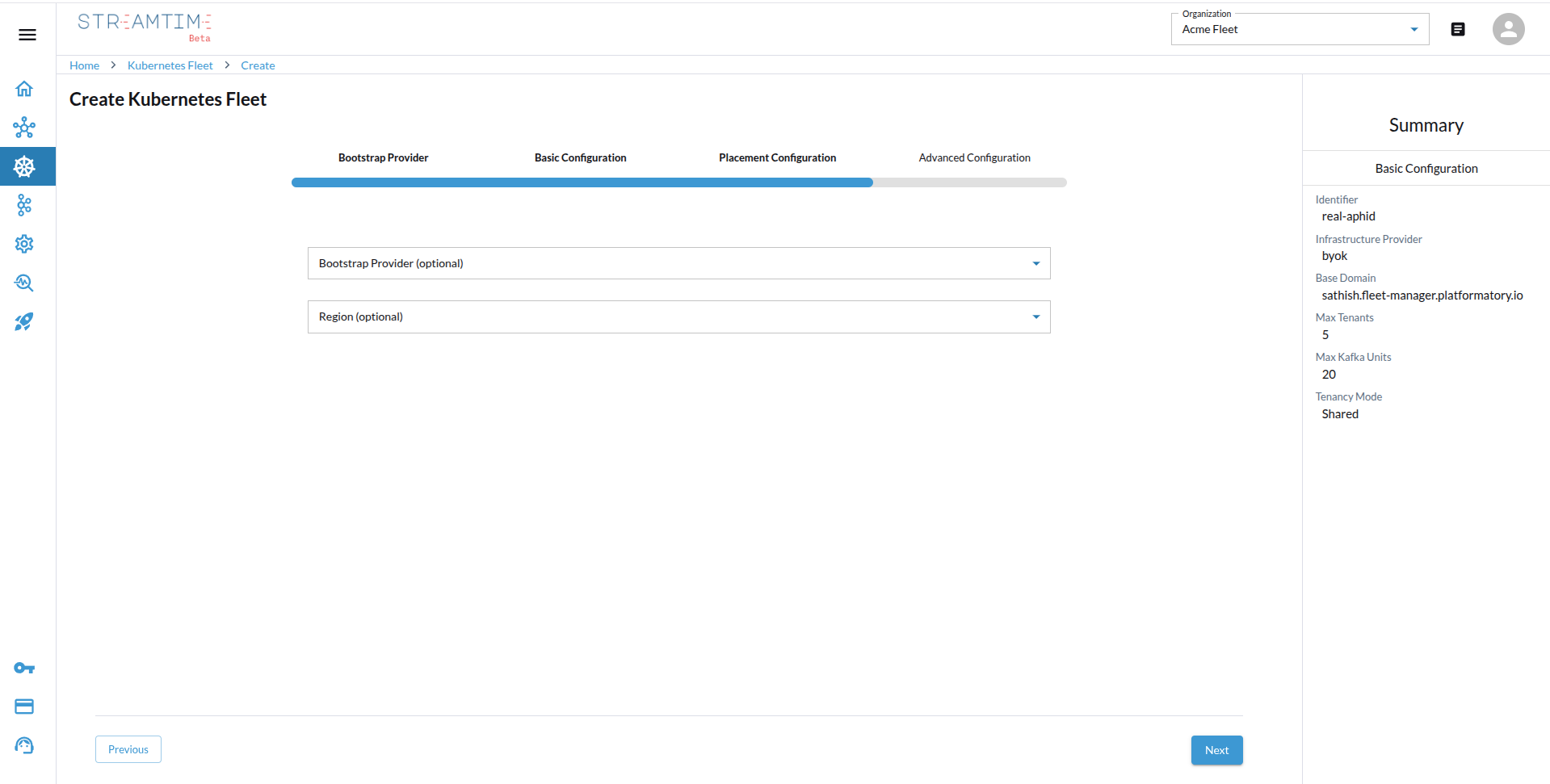
- Placement Configuration
- Optionally, specify provider and region details for placement metadata to optimize for latency, compliance, or cost.
- This step is optional but recommended for better performance and compliance.
- Upload Your Kubernetes Configuration
- Upload your Kubernetes
kubeconfigfile. This file contains the necessary credentials and configuration to connect to your existing Kubernetes clusters.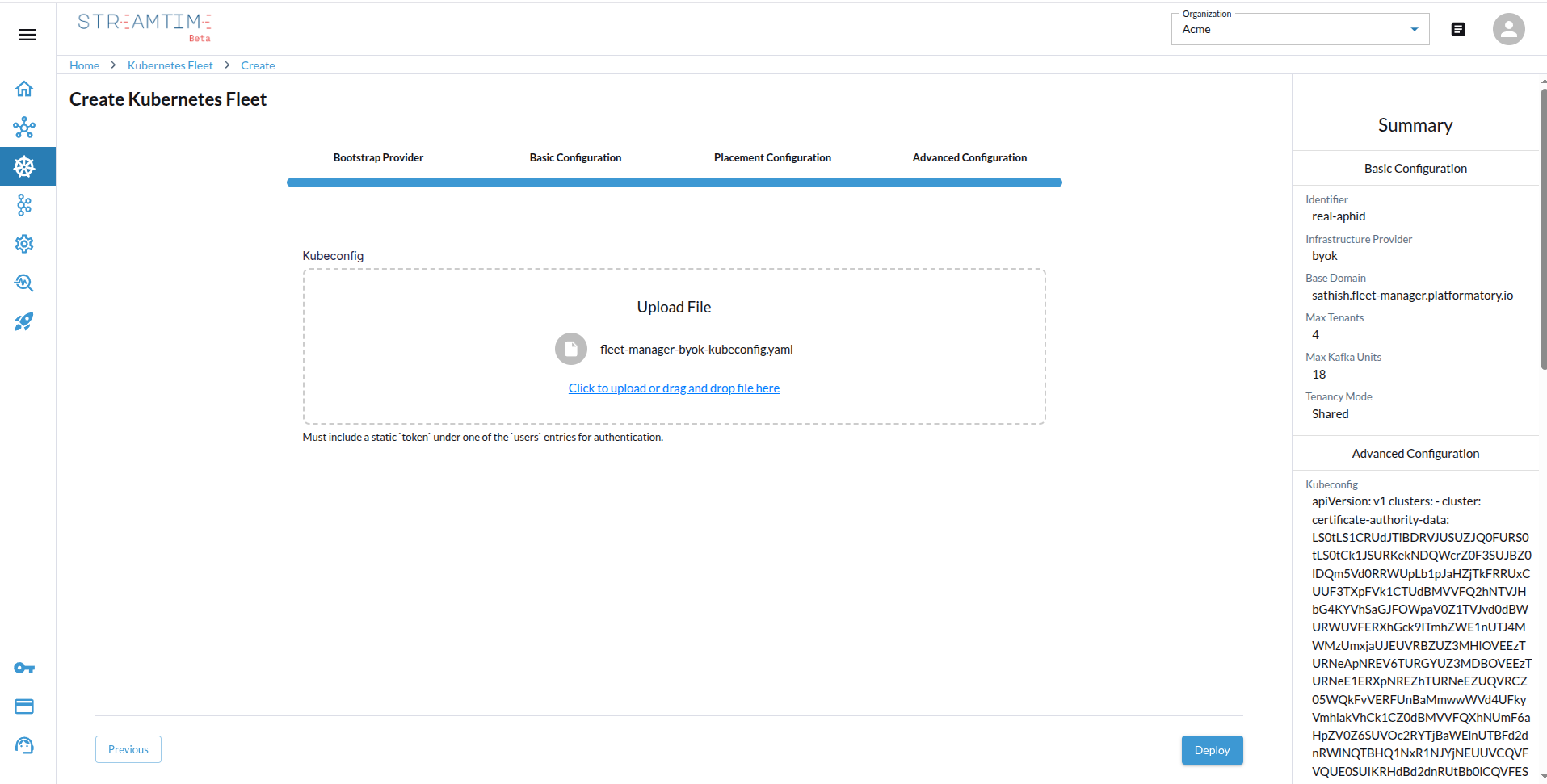
- Upload your Kubernetes
- Deploy and Validate
- Click Deploy. Streamtime will validate your kubeconfig and configure the Kubernetes fleet.
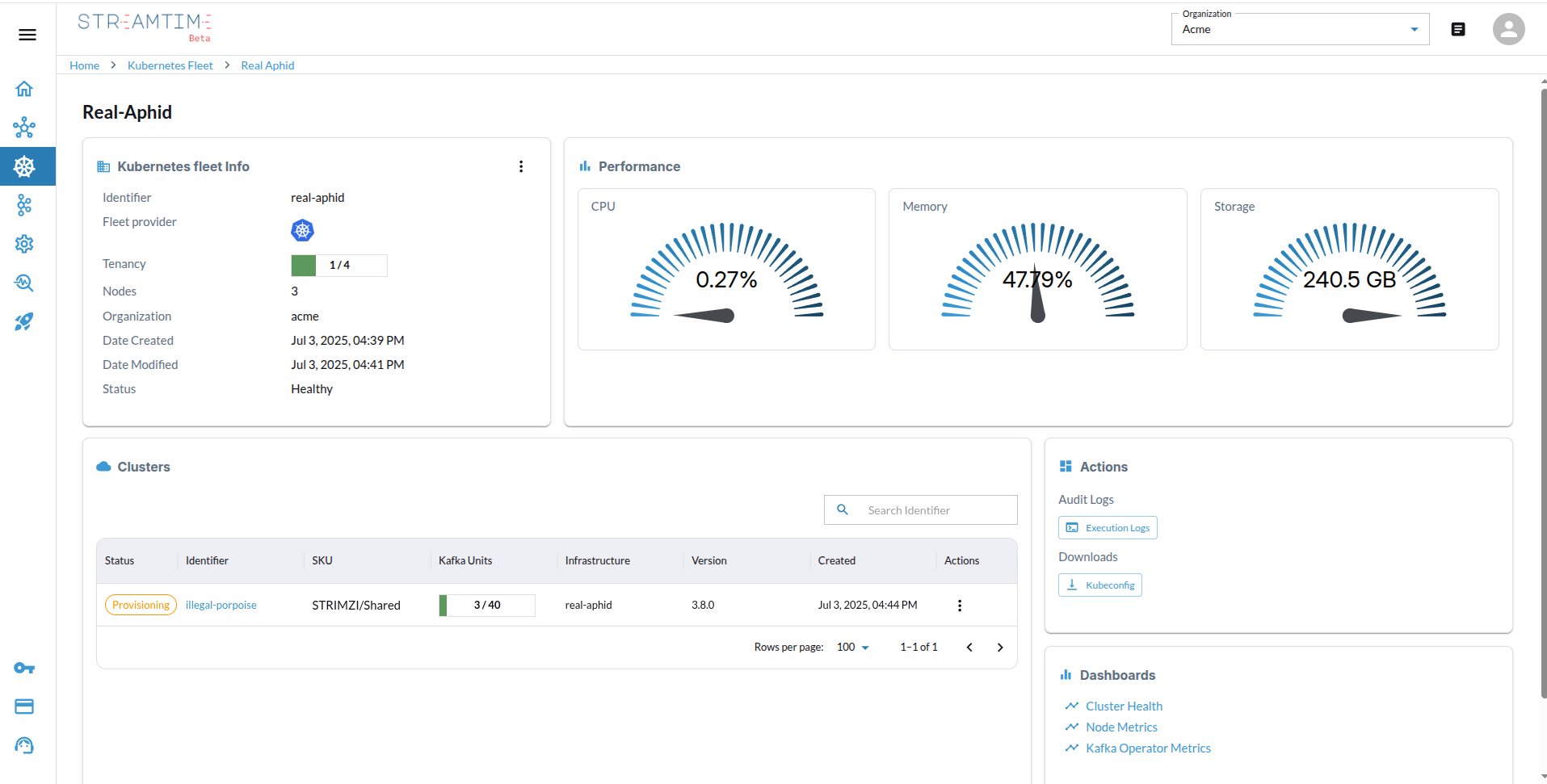
- Once deployed, the fleet status will show as “Healthy” and is ready for Kafka.
curl -X POST https://<streamtime-api-endpoint>/organizations/<your-org-id>/infrastructure/ \
  -H "Authorization: Bearer YOUR_API_TOKEN" \
  -H "Content-Type: application/json" \
  -d '{
    "identifier": "additional-alpaca",
    "infra_type": "byok",
    "domain": "<your-domain>.com",
    "max_tenants": 4,
    "max_kafka_units": 17,
    "tenancy_mode": "Shared",
    "advanced_config": {
        "kubeconfig": "<your-kubeconfig-string>"
    },
    "placement_config": {},
    "organization": "<your-org-id>"
}'
Response:
{
    "id": "bfca99b0-35a5-4490-9cc4-40296910f76d",
    "organization": "acme",
    "domain": "<your-domain>.com",
    "identifier": "additional-alpaca",
    "infra_type": "byok",
    "tenancy_mode": "Shared",
    "max_tenants": 4,
    "max_kafka_units": 17,
    "status": "Pending",
    "created_at": "2025-07-17T04:37:33.316063Z",
    "updated_at": "2025-07-17T04:37:33.316090Z"
}
Poll the fleet until its status reports Healthy.
Fields shown are derived from the existing documentation; this endpoint is not in the committed OpenAPI snapshot and may be stale.
streamtime fleet create \
  --identifier additional-alpaca \
  --provider byok \
  --domain <your-domain>.com \
  --tenancy-mode Shared \
  --max-tenants 4 \
  --max-kafka-units 17 \
  --advanced-config '{"kubeconfig": "<your-kubeconfig-string>"}'
Then check on it:
streamtime fleet status additional-alpaca
MCP reads fleet state; it does not create fleets. Ask in plain language, e.g. “is the additional-alpaca fleet healthy yet?”, or use the get_fleet_status tool.
Watch it (BYOK fleet → Apache Kafka cluster)
The same flow, end to end: